

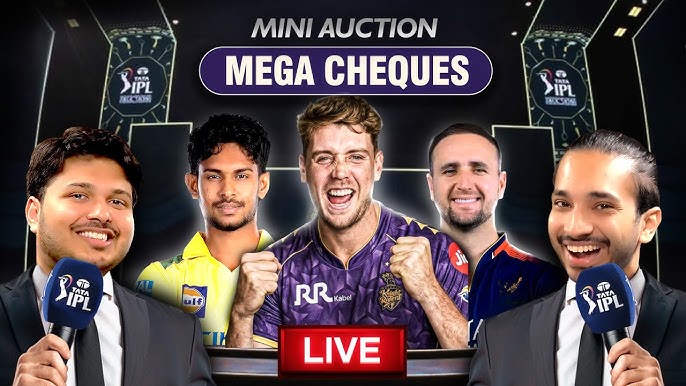
A few years ago, local cricket auctions were mostly noisy hall events with a projector, one mic, and plenty of confusion around player bids. Now, even small tennis-ball leagues want polished streams that look close to a proper sports broadcast. The good news is you do not need a production van or expensive software to pull it off. With the right cricket auction YouTube OBS overlay setup, you can stream your auction smoothly using tools you probably already have.
Why streaming your auction creates buzz and drives player registrations
Live streaming changes the energy around a local league. Players who could not attend still watch the bidding from home. Team owners stay involved while travelling. Friends clip funny moments and share them on Instagram before the auction even ends.
That visibility matters more than organisers sometimes realise. A decent YouTube cricket auction live stream gives your league credibility. It tells players that the tournament is organised, active, and worth joining next season.
There is also something entertaining about auctions. One aggressive bid war and suddenly the chat section starts behaving like the IPL mini auction.
Equipment you actually need
Most organisers overthink the technical side. Honestly, if your laptop can run Chrome and PowerPoint together without sounding like a tractor, you are probably fine.
For a basic cricket auction broadcast setup, you need:
- A laptop or desktop
- Stable internet connection
- OBS Studio
- One projector or TV screen for the venue
- A webcam or phone camera
- External mic if the room gets noisy
That is enough to stream cricket auction live events professionally.
A second monitor helps, though it is not mandatory. Some organisers use the projector display as their preview screen during setup, then switch it to the main auction view.
Connecting OBS to CricSmart’s broadcast overlay
This is where things start looking polished instead of homemade.
OBS lets you combine camera feeds, score graphics, player cards, sponsor banners, and browser overlays into one broadcast layout. CricSmart’s OBS cricket overlay plugs directly into that workflow without forcing you to learn complicated streaming software.
Once your auction is created inside CricSmart, open the broadcast overlay link provided in the dashboard. In OBS, add it as a Browser Source. That single step pulls live player names, bid amounts, team logos, and auction details directly onto the stream.
The clever part is the automation. When the auctioneer updates bids inside CricSmart, the overlay updates instantly on YouTube. No manual editing. No awkward pauses while somebody changes slides.
You can also place the same overlay on a cricket auction projector display inside the venue, which keeps both the live audience and online viewers synced.
Setting up your YouTube live stream in 10 minutes
YouTube’s live dashboard has become much simpler over the years.
Create a live event on your channel, copy the stream key, and paste it into OBS under Stream Settings. After that, select your camera, mic, and overlay scene, then hit Start Streaming.
Before the auction begins, test audio levels. This gets ignored, and viewers will forgive average video before they forgive crackling audio.
Keep one person monitoring the live chat too. If the stream freezes or audio drifts out of sync, somebody watching remotely will usually spot it first.
Engaging remote team owners and viewers during the auction
A silent stream gets boring quickly. Talk through the bidding. Mention player stats. Read comments occasionally. Build small rivalries between teams. Local audiences love that stuff.
Some organisers even keep a WhatsApp group open for remote franchise owners while running the stream. It speeds up communication during bidding confusion and helps maintain transparency.
At the end of the day, people remember atmosphere more than production quality. A slightly imperfect stream with excitement and personality will outperform a technically flawless but lifeless broadcast every time.
If you are planning this season’s auction, spending a little time learning a cricket auction YouTube OBS overlay workflow can smoothly elevate the experience for everyone involved. And if you want an easier bridge between auction management and streaming, CricSmart’s broadcast tools are worth exploring.
